
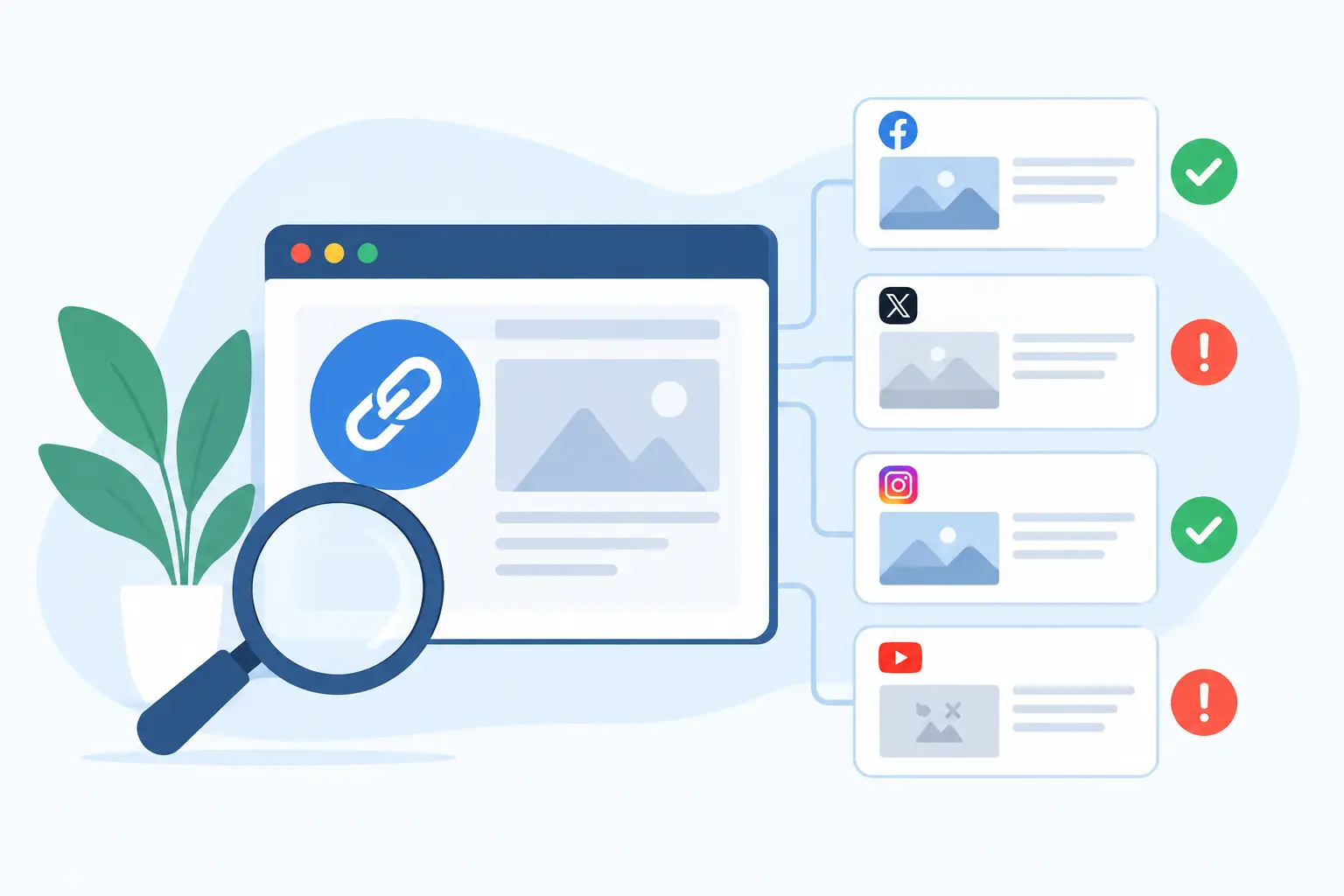
A link can be technically valid and still fail the moment someone shares it. Instead of your launch page, article, or product update appearing as a polished card, it shows a blank image, an old headline, or a gray box with a raw URL. A link preview checker catches that failure before your audience does.
For teams that distribute content through X, LinkedIn, Slack, WhatsApp, Facebook, iMessage, and community posts, this is not a cosmetic detail. The preview is often the first version of your page a person sees. If it looks broken, outdated, or generic, fewer people click.
What a link preview checker actually checks
When a platform turns a URL into a share card, it reads metadata in your page's HTML. Most platforms rely heavily on Open Graph tags, commonly called OG tags. These tags tell the platform which title, description, image, and canonical URL to use.
A good checker gives you a practical answer to one question: what will this specific link look like when shared? Rather than inspecting page source, guessing which tag wins, and posting a test link publicly, you can see the result in one place.
The most useful tools show previews for multiple platforms because platforms do not all behave the same way. A wide image that looks right on LinkedIn may crop poorly elsewhere. A description might appear on Facebook but disappear in Slack. A platform may favor its own card tags, while another reads Open Graph metadata first.
That difference matters when your traffic comes from more than one channel. One preview is not proof that every share looks right.
The preview problems worth catching before you publish
Some issues are obvious, like a missing image. Others are easy to miss until a founder shares a launch announcement and sees last month's headline attached to it.
The common failures are usually metadata failures, image failures, or cache failures. Metadata failures happen when tags are missing, duplicated, malformed, or overridden by a plugin or theme. Image failures happen when the file is too small, blocked from public access, slow to load, or built in dimensions that crop badly on a social platform. Cache failures happen when the page is fixed but the platform continues showing an older version.
A checker helps separate these problems. If the checker reads the right title and image but the live share still looks old, caching is the likely suspect. If the checker cannot find an image at all, you have a page-level metadata or image-hosting issue. That distinction saves a lot of unproductive back-and-forth between marketing and development.
Wrong title, description, or page identity
A preview title should match the page's job. Your homepage may need a brand-led statement. A blog post needs its article title. A pricing page may need the offer or plan context. When every URL inherits one generic homepage title, shared links lose specificity.
Descriptions deserve the same attention, even if a platform does not always display them. They provide context where supported and help prevent a share from looking unfinished. Keep them readable. A preview is not the place for keyword stuffing or a paragraph of boilerplate.
Also check the URL itself. Inconsistent canonical URLs can make analytics messier and cause platforms to associate shares with the wrong version of a page, especially when you use campaign parameters, alternate domains, or trailing-slash variations.
Missing, weak, or poorly cropped OG images
The social card image carries most of the visual weight. It has to work at a glance, often on a small screen, beside dozens of competing posts.
A checker can reveal when an image is missing, but use it to judge more than presence. Is the text readable? Is the logo too small? Does the subject get cropped? Is the page title accurate? Does the card still look like your brand when the platform puts its own interface around it?
A generic logo on every URL is better than no image, but it is rarely the best long-term answer. An article, changelog entry, documentation page, product page, and case study all have different reasons to earn a click. Their previews should reflect that.
Old previews caused by social caching
This is the frustrating one. You update the OG image, refresh the page, and the platform still shows the old card.
Social platforms cache link metadata to avoid re-fetching every URL each time it is shared. The cache duration and refresh behavior vary. Some platforms offer a way to re-scrape a URL. Others update later. A link preview checker can confirm that your page now serves the correct metadata, but it cannot force every platform to discard a cached copy immediately.
That is why the order matters: fix the source first, verify the live metadata, then use the platform's available refresh process if needed. Do not keep changing your image file in hopes that a stale cache will suddenly notice it.
How to use a link preview checker in your publishing workflow
The best time to check a preview is before distribution begins, not after a post has already reached customers, investors, or your community. Treat it like proofreading a landing page or testing a signup form.
Start with the final production URL. Staging environments often block crawlers, use noindex settings, or require login access, so their results can be misleading. Paste the public URL into the checker and compare the title, description, image, and destination URL against the page you intended to promote.
Then inspect the platform views that matter for that page. If your team gets most of its attention on LinkedIn and Slack, prioritize those. If a campaign is designed for X, check its crop and headline behavior there. You do not need to optimize every page equally. A quiet utility page may only need valid metadata, while a launch page needs careful visual review.
Finally, test more than the homepage. The most expensive preview problems live deeper in a site: new blog posts, category pages, dynamically generated documentation, product collections, and programmatic landing pages. A manual process can make one important URL look great. It usually breaks down when you publish fifty more.
Build a system, not a pre-share chore
Checking links is useful, but checking every URL manually forever is not a strategy. The durable fix is to make each page generate complete, branded metadata by default.
For a small site, that may mean setting a reliable fallback image and ensuring your SEO plugin outputs the correct OG fields. For a content-heavy site, you need page-specific images that pull in existing data such as titles, authors, featured photos, prices, dates, and categories. The design should stay consistent while the content changes automatically.
This is where automation changes the economics. Instead of opening Canva for every article or waiting for a developer to build a custom image service, you define the visual rules once. Every eligible page receives its own card from the content it already has.
getwowlink is built for that workflow: create a branded OG image design, map it to page data, and let current and future URLs render their own share-ready images. It can sit alongside tools such as Yoast or Rank Math rather than asking you to replace the SEO setup you already use.
There is a trade-off. Fully custom campaign art can still make sense for a flagship launch, a major report, or a high-budget paid campaign. But routine content should not require routine design labor. Use custom work where the creative upside is real, and automate the rest.
A practical checklist for reliable shared links
Before publishing a page that matters, confirm these four things:
- The page returns a public, successful response to crawlers and does not require a login.
- The Open Graph title, description, URL, and image match the page's purpose.
- The image is publicly accessible, visually legible, and strong after platform cropping.
- The preview checker shows the expected result on the channels where you plan to share it.
If something looks wrong, do not start by redesigning the image. First verify which metadata is actually being served. Then check for duplicate tags created by themes, SEO plugins, or custom code. After the source is correct, account for caching.
A polished preview will not rescue a weak page. But it does make sure the attention you already earned reaches the page in its best form. Check the next URL before you share it, then make the fix that keeps every future URL from becoming the same problem again.
